


Vibration Knee Massage Device
1 people are viewing this right now
Enter your UAE emirate or area to check standard delivery availability.
Buy and Save
About this item
Review the product details, available options and delivery information before placing your order.
Heat, vibration and red light for your knees. All cordless.
The Togmart Vibration Knee Massage Device wraps around your knee and gives you gentle vibration, soothing warmth and infrared red light from one rechargeable unit. Strap it on, tap the touch panel and relax.
- 3 heat levels
- 3 vibration modes
- Infrared red light
- Cordless
- USB Type-C

See it from every angle
Every product photo, spinning in 3D. Move your mouse over it to pause.


Front, on the knee, lifestyle and detail views
Features explained, with examples
Here is what each part of the device does and how you might use it.
Soothing heat
Three heat levels so you can start gentle and go warmer only if you like.
Example: In a cold, air-conditioned office, start on Low and move up one level if you want more warmth.
Gentle vibration
Choose Auto, Low or High. Vibration works with or without heat.
Example: Keep Auto on while you watch TV, or pick Low for a softer feel during a quiet break.
Infrared red light
A ring of red lights inside the unit glows against your knee. Short-press Power to switch infrared on or off.
Example: Add infrared to your evening session for a warm, calming glow, and switch it off when you only want vibration.
Cordless and rechargeable
Charge it with the included Type-C cable, then use it with no wire attached.
Example: Charge it overnight, then use it on the sofa, at your desk or in bed before you settle down.
Adjustable strap fit
Attached straps hold the unit over the knee and adjust to your leg.
Example: Fasten it snug but not tight. You should be able to bend your knee comfortably while seated.
Touch control panel
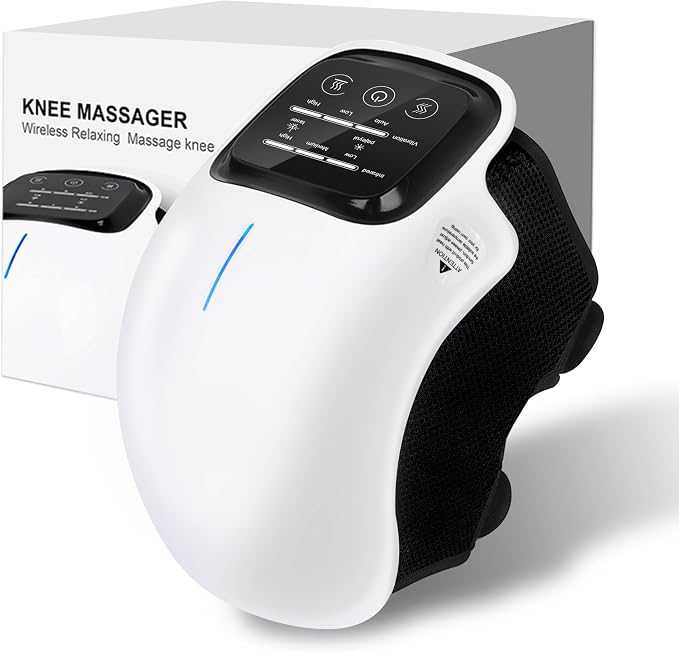
The display shows heat, infrared and vibration settings at a glance with a Power button in the middle.
Example: Glance at the bars to check your levels without taking the unit off.
Your control panel, button by button
| Power (centre) | Long-press to turn on or off. It starts in Auto mode. Short-press to switch infrared on or off. |
|---|---|
| Vibration (left) | Short-press to step through Auto, Low and High. |
| Heating (right) | Short-press to step through Low, Medium and High heat. |
| Display | Bars show your current heat and vibration level. |
Designed to be worn
- Wraps the knee. The curved body sits over the kneecap while the straps hold it in place.
- Light and compact. Easy to keep by your favourite chair or pack in a bag.
- Hands-free. Once it is on, you can read, watch TV or work.
- Simple controls. Three buttons, so anyone in the family can use it.
Example: Gift it to a parent: they only need to charge it, strap it on and press Power.
Pick a routine that suits you
These are simple starting points. Change the levels to whatever feels comfortable.
Evening on the sofa
Warm and relaxed while the TV is on.
Heat LowVibration AutoInfrared onDesk break
A light buzz when you have been sitting for hours.
Vibration LowHeat offCool room
Extra warmth when the air feels chilly.
Heat MediumVibration LowReady in four steps
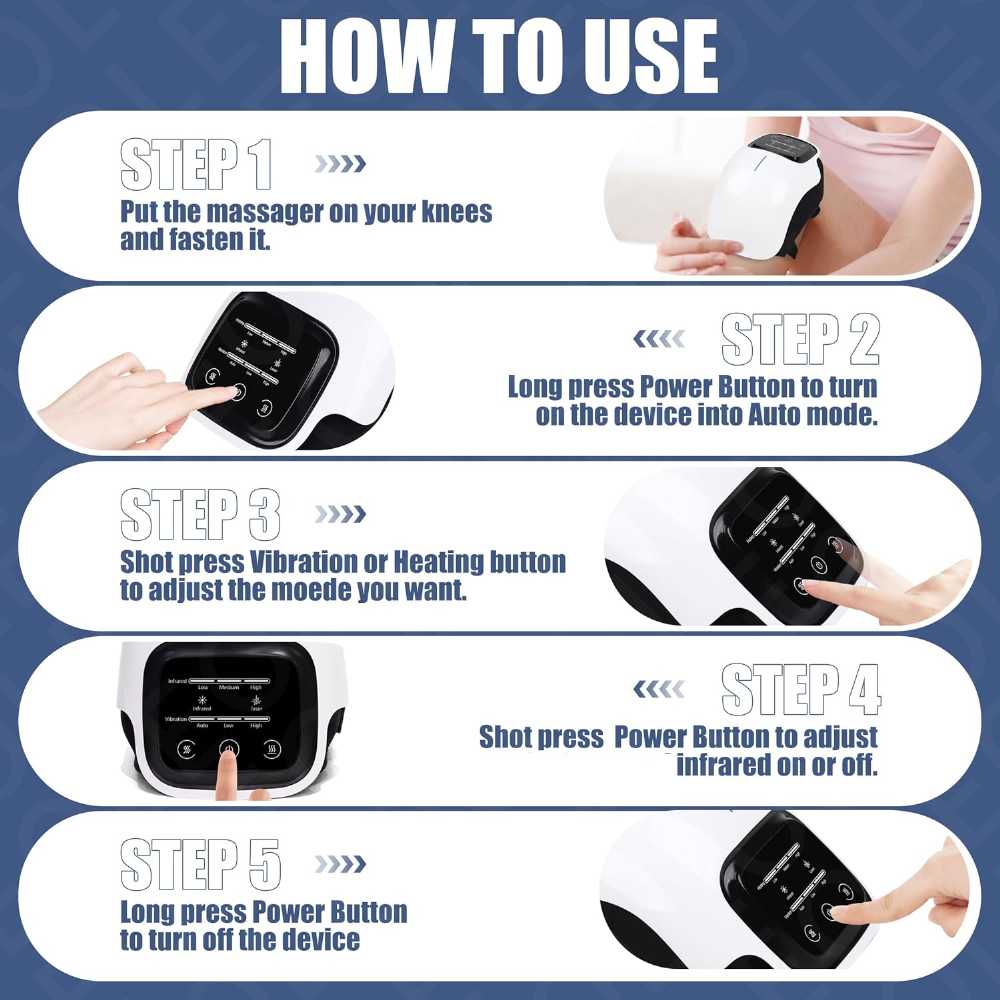
- Put it onPlace the massager over your knee and fasten the straps comfortably.
- Switch onLong-press Power. The device starts in Auto mode.
- Choose your levelsShort-press Vibration or Heating to change level. Short-press Power for infrared.
- Switch offLong-press Power when you finish.
What is in the box
- Vibration Knee Massage Device
- User guide
- Type-C USB charging cable
- Product box
Example: Check these four items when it arrives and keep the user guide for the first session.
Product details
| Product | Vibration Knee Massage Device |
|---|---|
| Brand | Togmart |
| Colour | White |
| Type | Cordless wearable knee massager |
| Heat levels | Low, Medium, High |
| Vibration modes | Auto, Low, High |
| Infrared | Red light, on or off with Power |
| Charging | USB Type-C cable included |
| Controls | Power, Vibration and Heating on a touch panel |
Photo gallery


Common questions
Do I need to plug it in while using it?
No. Charge it first with the Type-C cable, then use it cordless.
Can I use heat and vibration together?
Yes. Set each with its own button, and short-press Power to add infrared.
Which mode does it start in?
A long press on Power switches it on in Auto mode.
How long should a session be?
Begin with a short, comfortable session and follow the user guide. Take it off if anything feels uncomfortable.
Can I use it while sleeping?
No. Use it while you are awake and remove it before you sleep.
Is it a medical device?
No. It is a general wellness product for comfort and relaxation and does not replace professional medical advice.
Safe use
- Read the user guide before first use.
- Start on the lowest heat level. Keep it off bare skin if the heat feels too strong.
- Do not use on broken, irritated or numb skin.
- Do not fasten the straps so tightly that they press hard or restrict circulation.
- Keep the device and charging port away from water and moisture.
- Stop using it if it is damaged, overheats or behaves unusually.
- Ask a healthcare professional first if you have an injury, circulation concerns, reduced sensation, surgery history or a diagnosed condition.


